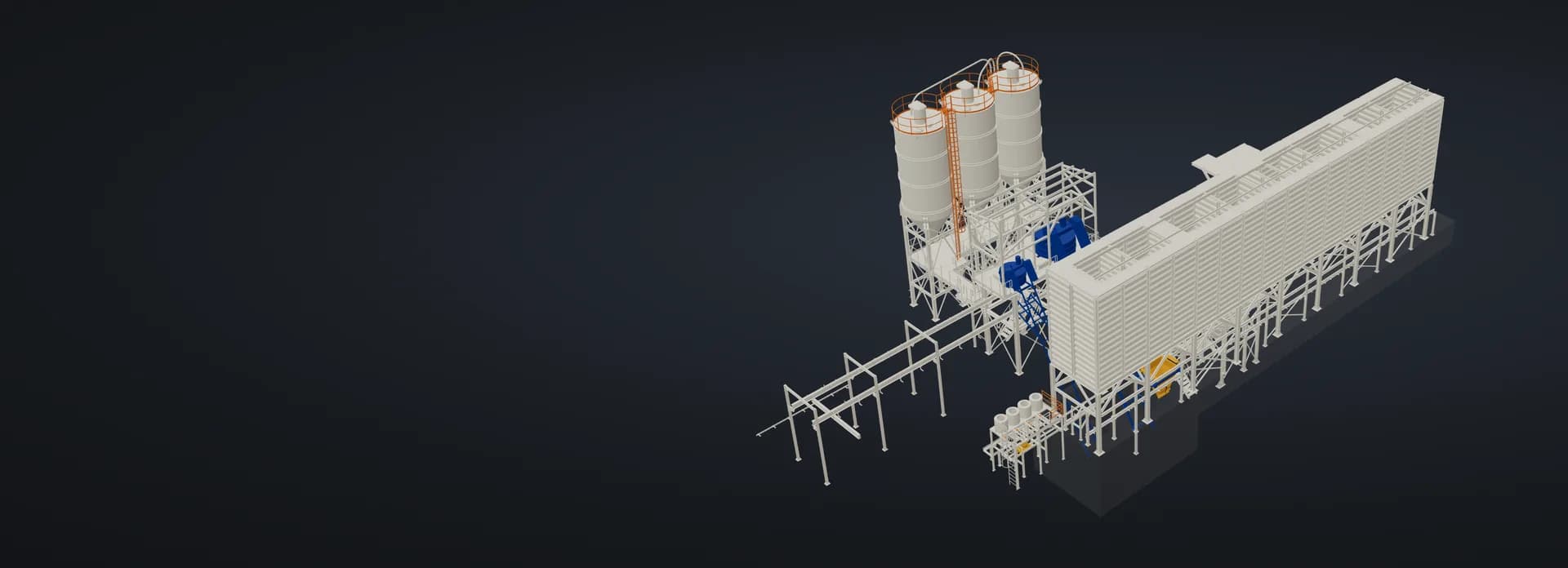
Digital solutions · The central platform of your plant
ROMETA CONNECT Digital twin of your plant, all the information in one place
Management. Monitoring. Diagnostics. Maintenance. Spare parts.

Between the machine and the people
Rometa Connect is a layer that sits on the PLC of the plant and gives operation, maintenance and plant management one place to work from, linked to the company's own systems.
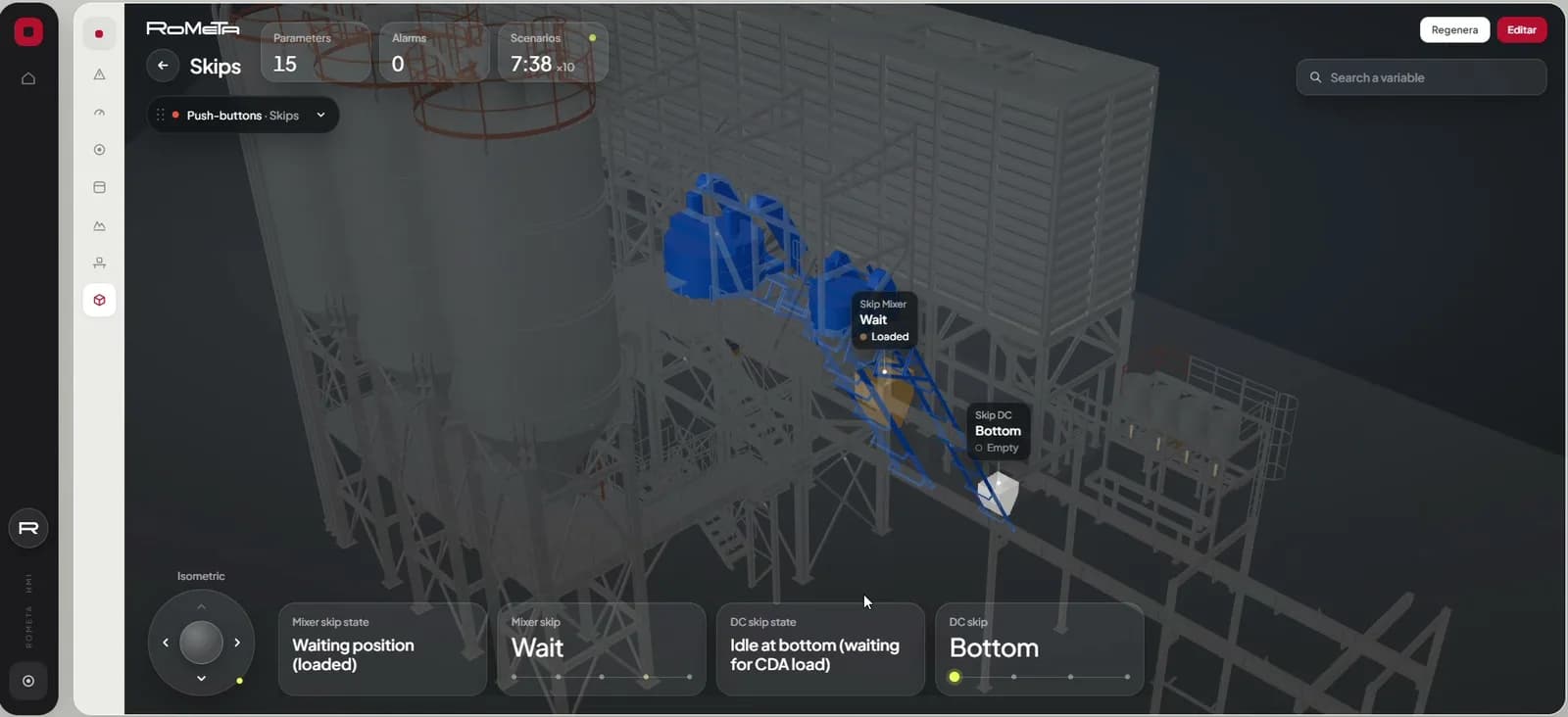
- Operation. Live values and performance in a 2D/3D plant representation, parameter adjustment, recipes and production values.
- Maintenance. Alarm history, schematics, spare parts and AI diagnostics.
- Plant management. Production output, KPIs, data transparency.
Four gaps. One platform.
Four problems plants live with today, and how Rometa Connect answers each one from the same place, between the machines and the people who run them.
The problem
Production data, cut off from the management software
What the plant produces stays at the plant, apart from the systems the company plans with.
What Connect does
Linked to SAP and MES.
Every cycle is recorded by shift, day and recipe, with setpoints, actual values and the quality checks of every batch, and linked to the company's management software.
The problem
Spare parts and maintenance, tracked somewhere else
Part numbers and the maintenance history live away from the machine they belong to.
What Connect does
Parts on the machine itself.
Every part numbered on the exploded 3D model: one click gives its position, part number and quantity. The full alarm history, with filters and export, shows the recurring ones.
The problem
Machine know-how, buried in a manual
When an alarm stops the plant, the answer is in a document, not at hand.
What Connect does
The machine explains itself.
Drawings, schematics and manuals at the machine, kept up to date by Rometa. The AI assistant analyses an alarm from the PLC code and the data from the preceding two minutes, in the operator's own language.
The problem
The HMI out of step after every code change
Each change in the PLC program means another HMI project to update.
What Connect does
Screens from the PLC code.
Every code change reaches the screens without a separate HMI project, so the SCADA and the machine are always in step.
Underneath: every Rometa program follows ISA‑88 and PackML, and runs through real production scenarios in simulation before commissioning.
What comes with Connect
Two ways in, one platform inside: everything the plant gets, in the plant and from outside it.
Two versions
Included
- Documentation. Drawings, schematics, synoptics and manuals at the machine, linked and kept up to date by Rometa.
- 2D and 3D views. The plant in real time, a control panel for each zone, live variables pinned by each user.
- Production log. By shift, day and recipe: setpoints and actual values, stops and their causes.
- Alarm log. Instantly on the affected zone; the full history, with filters and export.
- AI assistant. Read-only. Alarm causes from the PLC code and the preceding two minutes, in the operator's own language.
- Spare parts. On the exploded 3D model: one click gives position, part number and quantity.
- Recipes and parameters. The recipes and parameters the plant runs with, at the operator's fingertips.
- Quality and integrations. The quality checks of every batch; data linked to SAP, MES and other systems.
And much more to come.
Off the office shelf, onto the machine
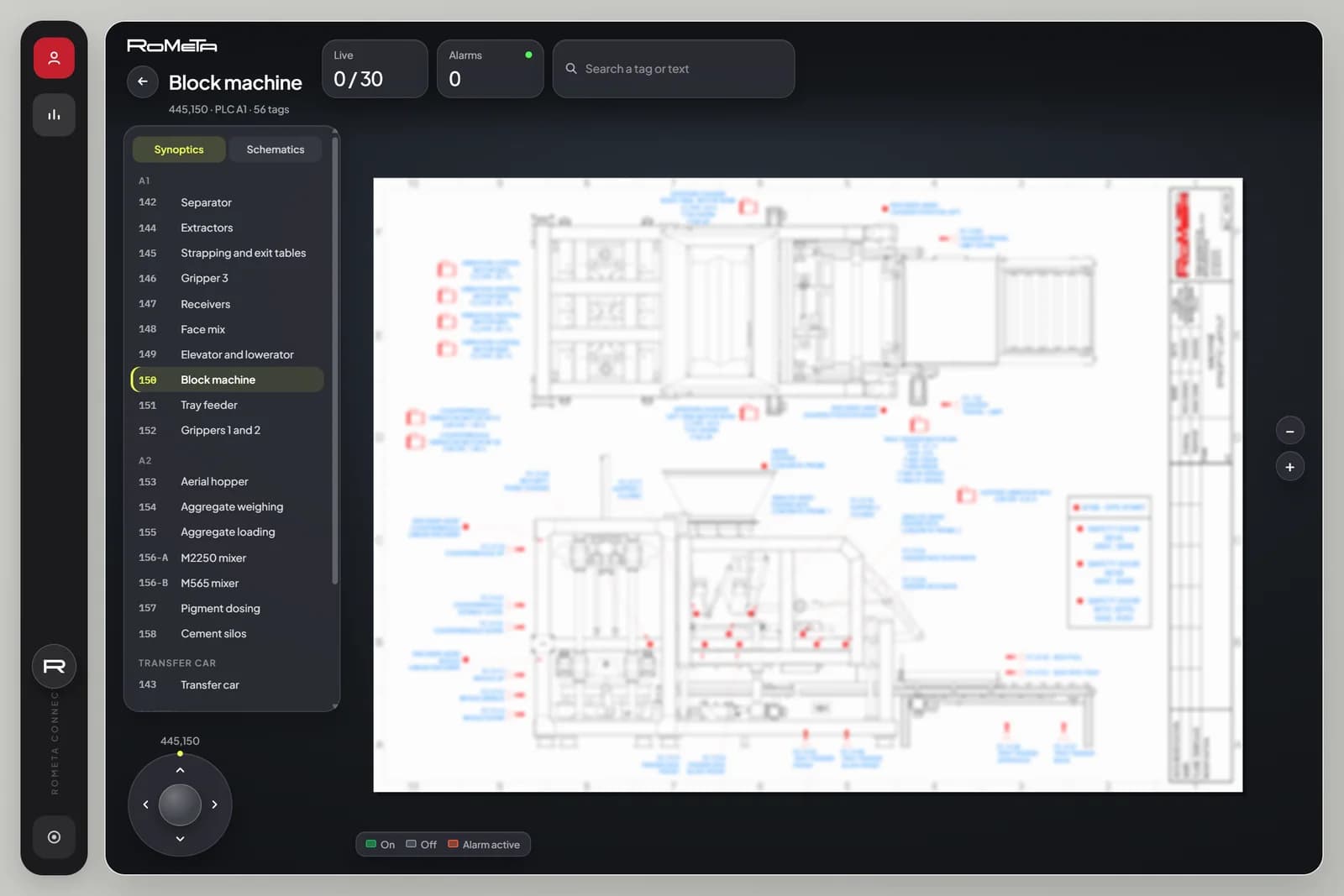
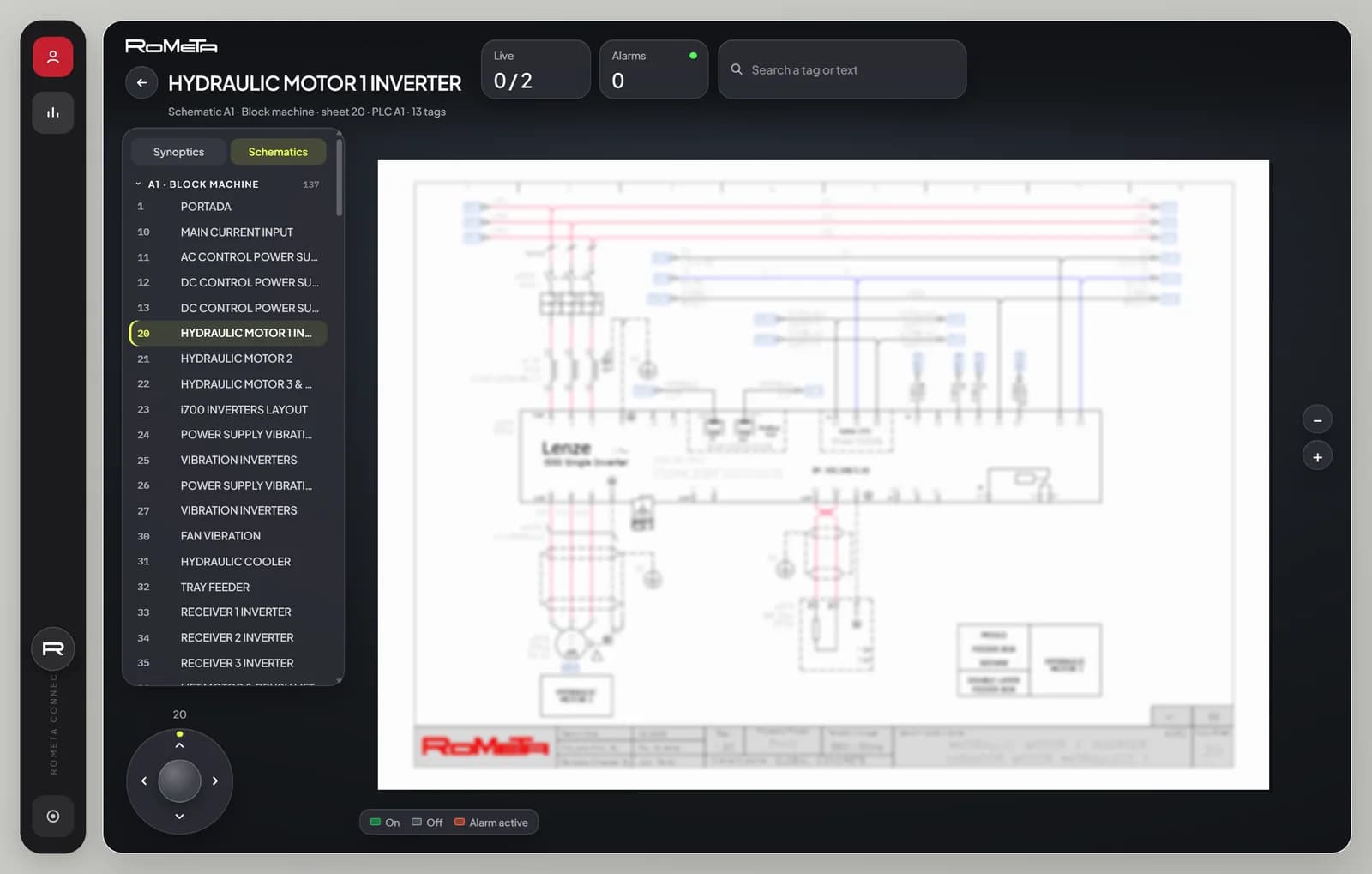
The technical documentation of the installation leaves the folders and goes where the work is done: to the machine, inside Rometa Connect.
At hand
Mechanical, electrical, pneumatic and hydraulic drawings, synoptics and manuals, from the platform, when needed.
Linked
From an alarm or a question to the schematic sheet with the input marked, then to the synoptic.
Up to date
Maintained by Rometa: any change in the installation reaches the version in the platform.
Every batch, on record
Production, KPIs and quality, updated in real time and shared by operators, maintenance and plant management.
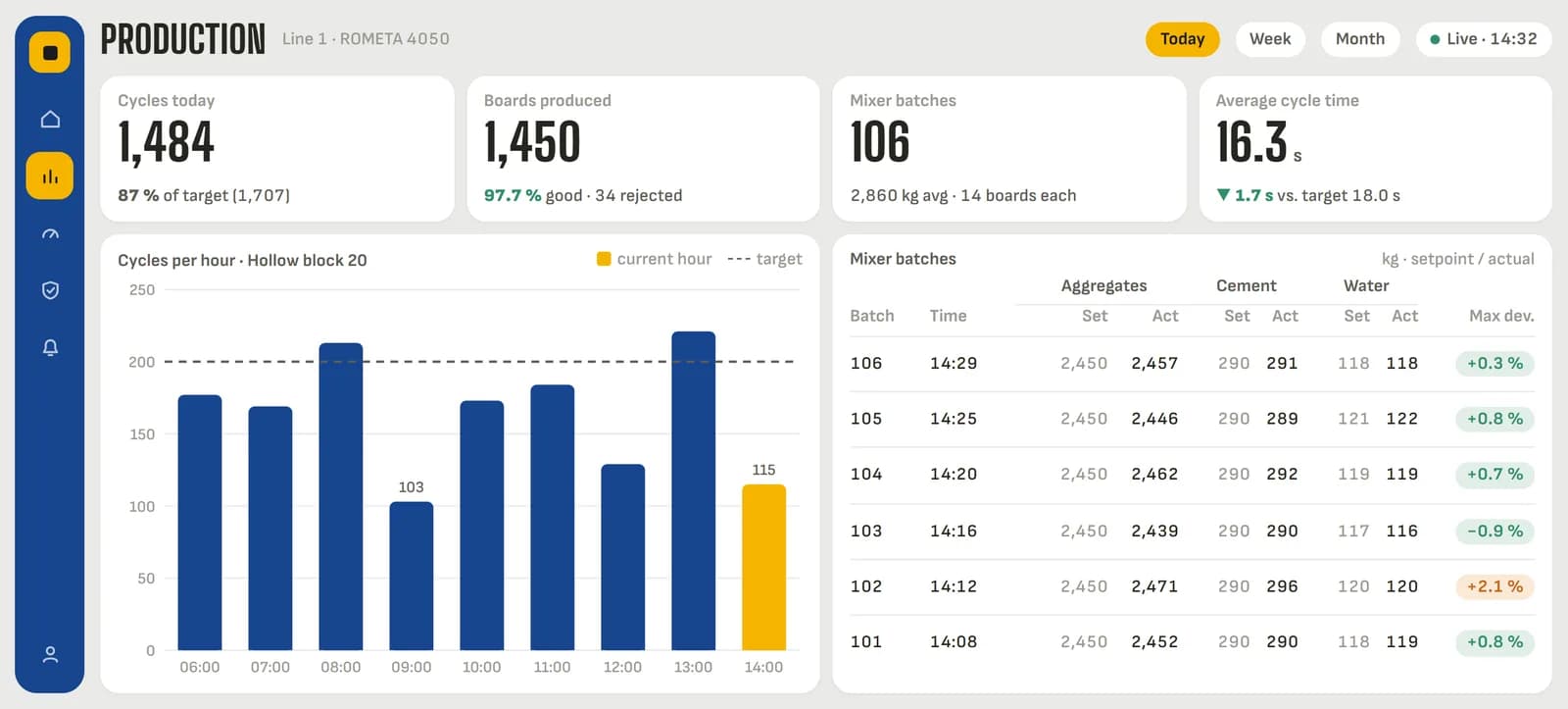
Production data
Every cycle, by shift, day and recipe, with the setpoints and actual values of every batch.
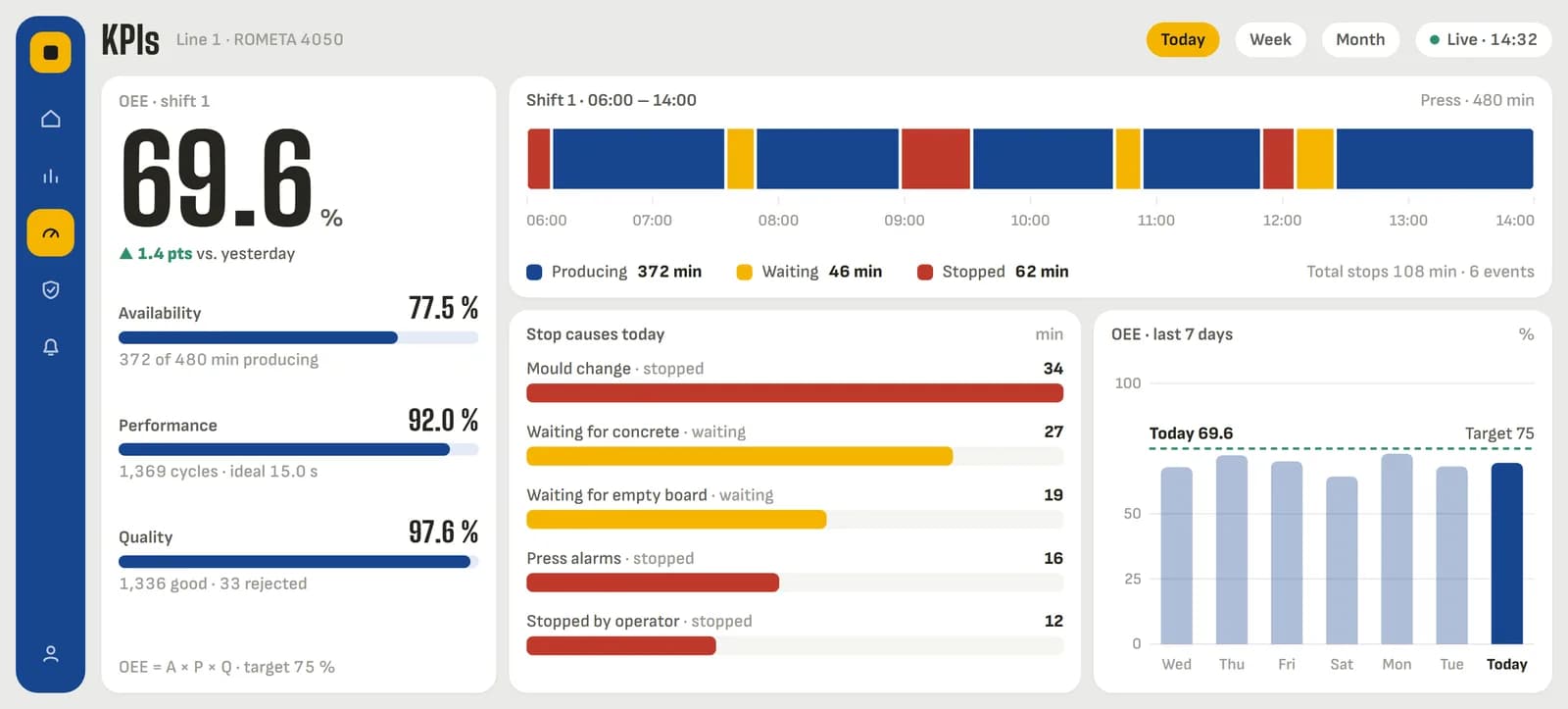
KPIs
KPIs, states and commands for every zone, on the control panel.
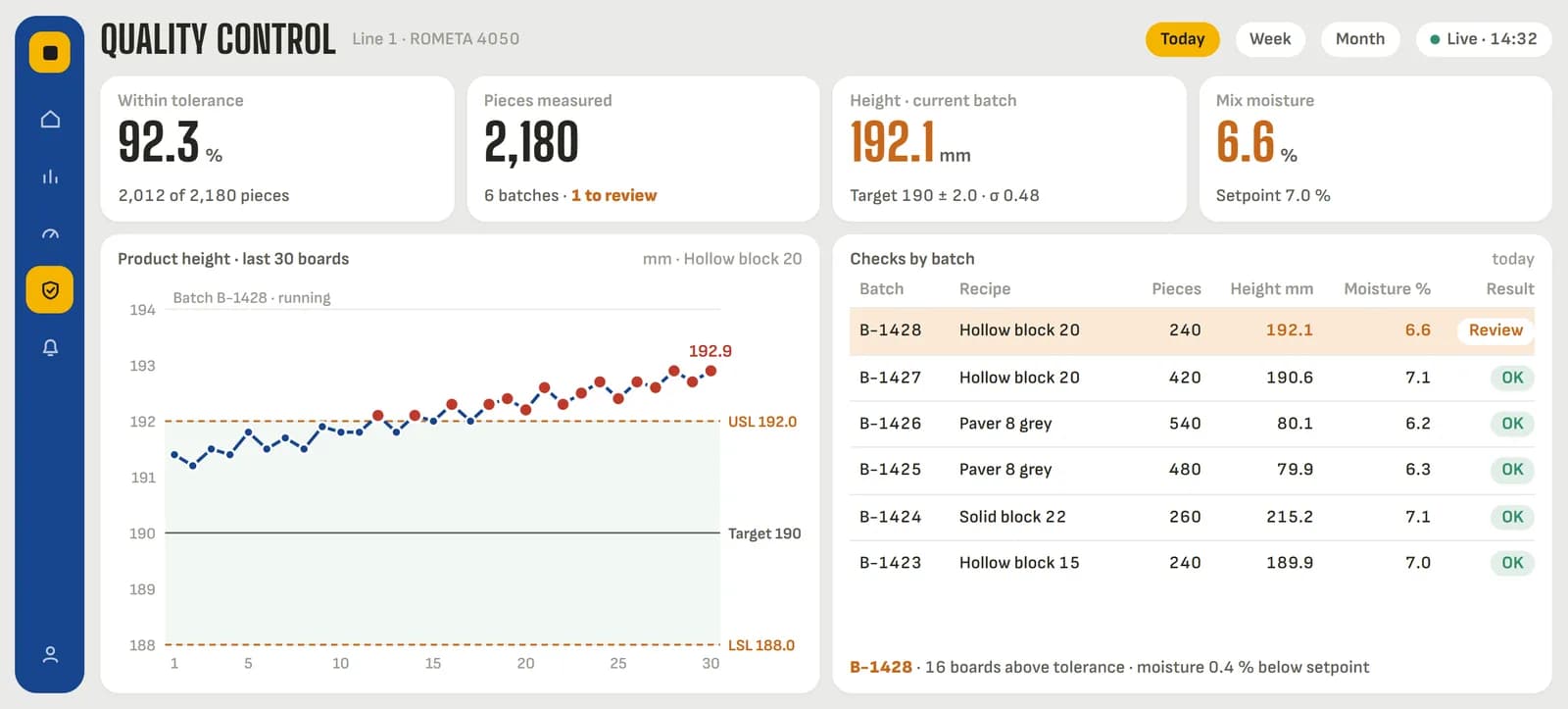
Quality control
Quality checks recorded with every batch.
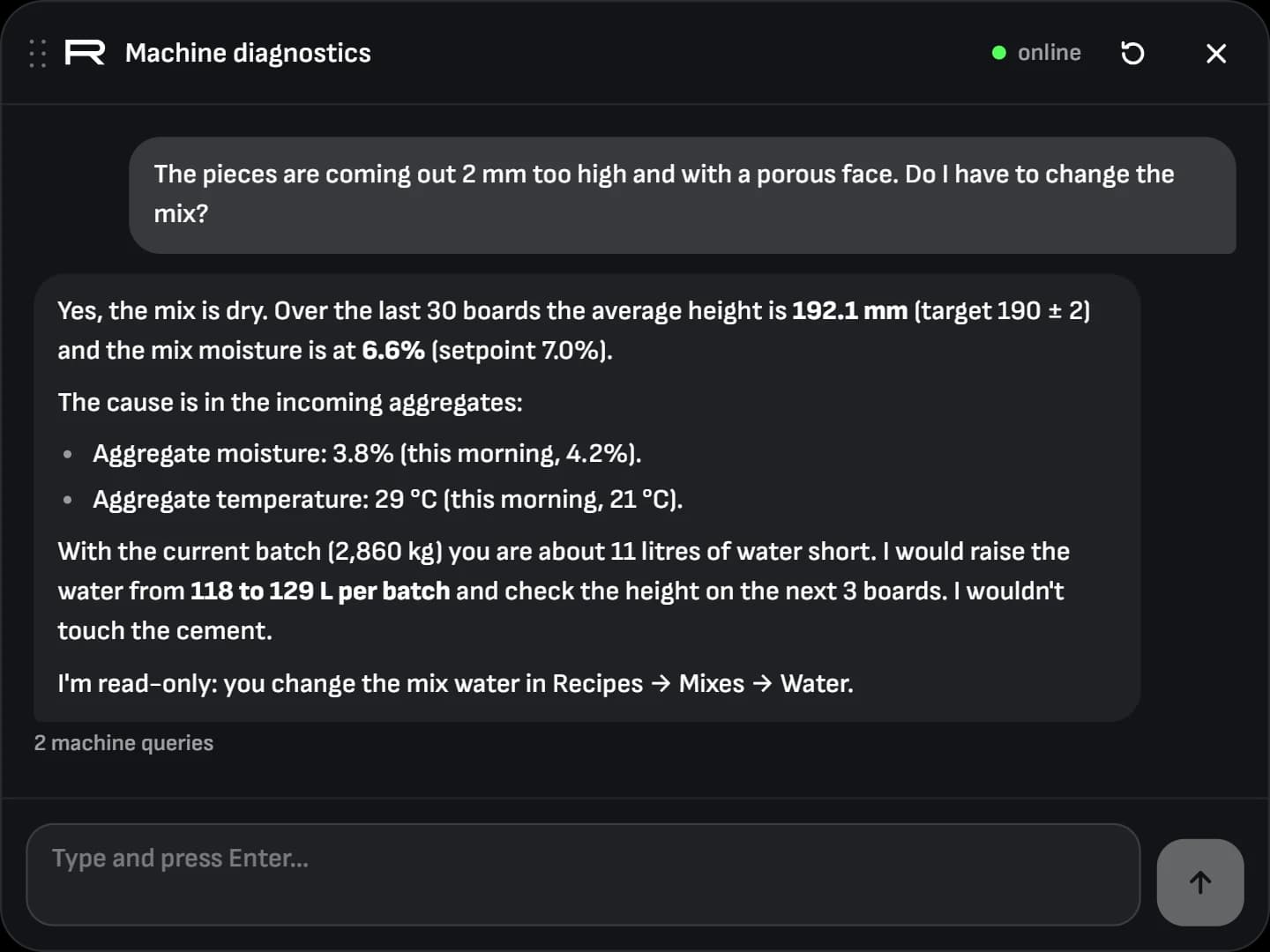
AI manufacturing agent
The production assistant reads the live PLC values and the program logic. It diagnoses alarms, answers the questions of new staff, and sits next to the production data the plant decides with.
Read-only by design. It explains the machine, but it can never change it.
Diagnose
Alarms explained, step by step.
Alarms appear instantly on the affected zone. With one click, Connect analyses the cause from the PLC code and the data from the previous steps stored in our database, and suggests what to check.
Train
Ask the machine, not the manual.
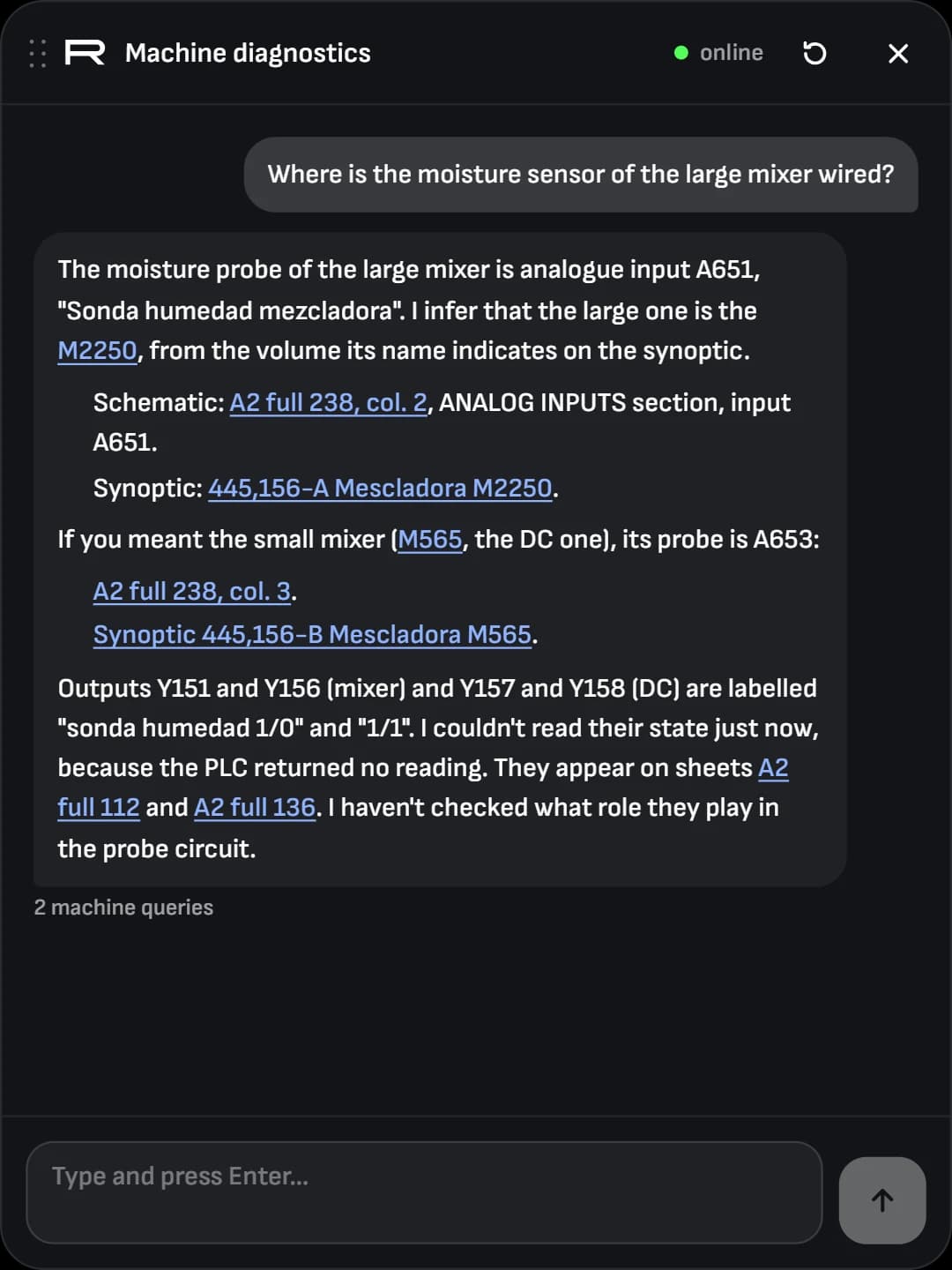
A new operator can ask the machine in their own language instead of searching the manual: which parameter to set, where a sensor is wired, suggestions for production. The operation and maintenance manuals stay at hand for training and daily reference.
Decide
Production decisions based on data.
Every cycle recorded by shift, day and recipe, with setpoints and actual values; productive time against stops and their causes; recurring alarms found with the history filters; and a report of where the cycle time goes, state by state.
Ask the machine. It answers.
Operation, maintenance and plant management ask in their own language, in plain words. Connect reads the live PLC values, the alarms and the program logic, and answers in plain language, never in code.
Operation
- “Should I adjust the cement level for product quality?”
- “How do I adjust the speed of the aggregate feeder?”
- “The machine’s vibration is making a very loud noise. Can you check it?”
- “What does this alarm mean, and what should I check first?”
Maintenance
- “Where is the moisture sensor of the large mixer wired?”
- “Which sensor tells the PLC that the carriage is at hopper two?”
- “What has to happen before the mixer can discharge?”
- “Why does the vibrator of hopper three not start?”
Plant management
- “Which zone is holding up the cycle right now?”
- “Which recipe is running, and with which setpoints?”
- “What does the plant wait for between two batches?”
- “Which parameters set the cycle time of the batching plant?”
What the numbers say
Rometa Connect is new, so its own results are still to come. These are published figures from industry on the four things it works on: stops, people, material and output.
Stops
of plants report unplanned stops on critical equipment at least once a month. Where maintenance is run-to-failure, 80%.
Source: ABB, Value of Reliability survey, 2023. 3,215 maintenance decision-makers, self-reported.
With Connect
Maintenance is managed and logged on the platform; stops are recorded with the alarm history, and an AI assistant guides the operator through the process, reducing downtime.
People
more issues resolved per hour by novice staff working with an AI assistant; +14% across all staff.
Source: Brynjolfsson, Li & Raymond, Generative AI at Work, NBER 2023. 5,179 support agents at a software company, not an industrial setting.
With Connect
New operators ask the machine in their own language. The answer comes from the live PLC values, the program logic and the manuals.
Material
of concrete mixes were stronger than the design margin requires. Portland cement accounts for about 90% of a mix's greenhouse-gas emissions.
Source: MIT Concrete Sustainability Hub, 2025. Over 115,000 batch records, ready-mix plants, USA.
With Connect
Every batch recorded with its setpoints and actual weights, by recipe, so dosing can be tightened through data-based decisions on the platform.
Output
gains in output, factory utilisation and labour productivity, reported by manufacturers after smart-factory investments.
Source: Deloitte & MAPI, Smart Factory Study, 2019. Over 600 executives, self-reported.
With Connect
Every cycle by shift, day and recipe, with the cycle time broken down state by state. Analysis of the whole system and its subsystems, with suggested parameter adjustments, improves productivity, performance and production time.
Published figures from industry in general.
Downloadable documentation
The full Rometa Connect brochure, in PDF.
The present document has no contractual validity